
Quickstart
From an API key to a live avatar on your own page.
A complete, dependency-free example of everything on this page lives in the
api_demo repository: server.mjs (the endpoint) and
index.html / widget.html (the page).
Create a key
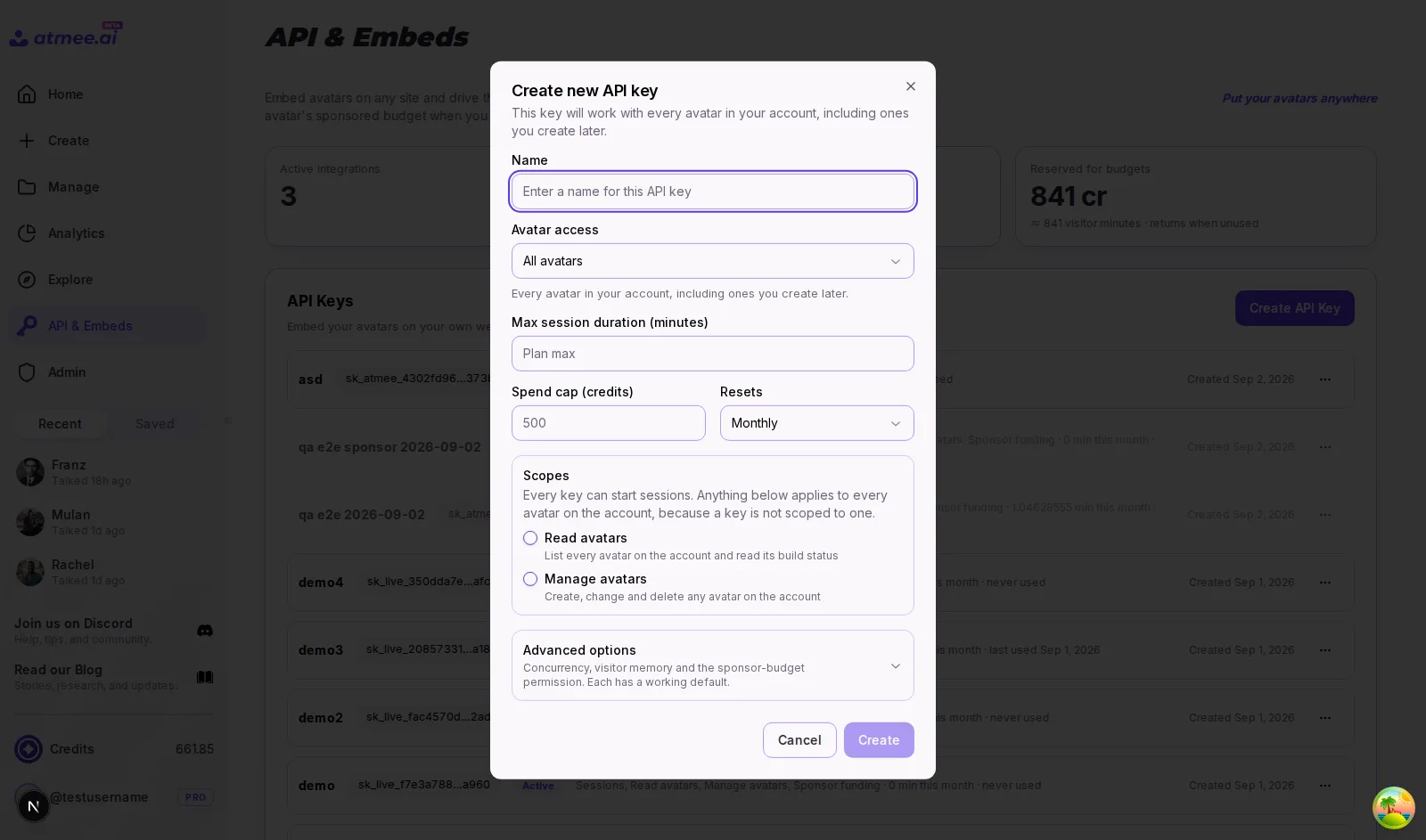
In Studio → API, click Create API key. Name it after the site it will serve, keep
the default sessions scope, and set a spend cap if the page is public. Copy the secret — it is
shown exactly once — and put it in your server's environment as ATMEE_API_KEY. Details and the
other scopes are on the API keys page.
Pick an avatar
Any avatar your account owns works, whatever its visibility; it just has to be finished building.
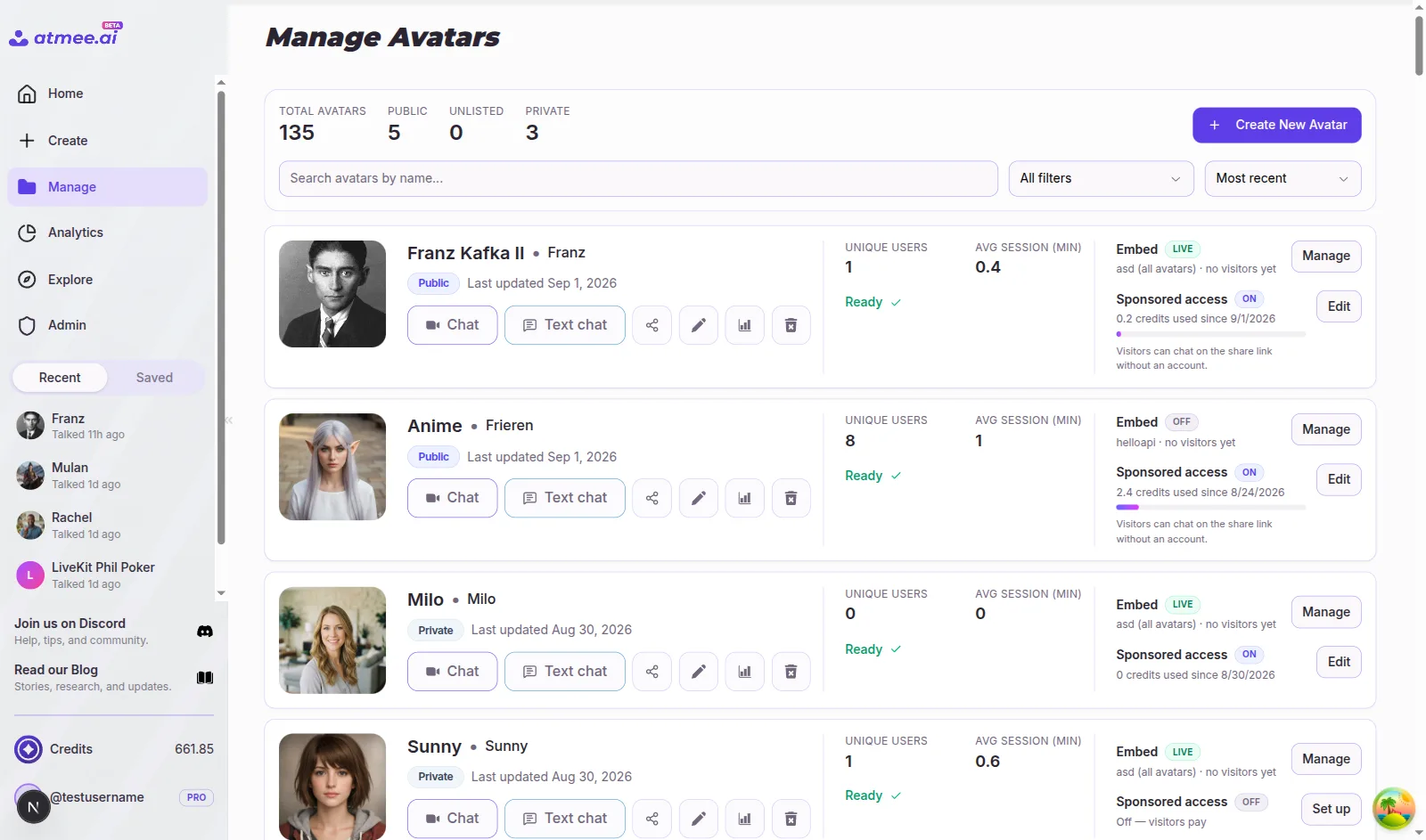
Open Studio → Manage and click Edit on the avatar — its id is the UUID in the editor URL,
/studio/avatars/<id>/edit. From code, GET /v1/avatars lists your avatars with their ids and
whether they are ready. If you'd rather build the avatar itself from code, see
Create an avatar.
Start sessions from your server
curl -X POST "https://api.atmanity.us/v1/session" \
  -H "X-Api-Key: $ATMEE_API_KEY" \
  -H "Content-Type: application/json" \
  -d '{"avatarId": "<avatar-id>"}'
A 201 means the avatar has already joined the room:
{
  "sessionId": "550e8400-e29b-41d4-a716-446655440000",
  "serverUrl": "wss://atmanity.livekit.cloud",
  "roomName": "rk-8f14e45f-…",
  "userToken": "eyJhbGciOi…",
  "actualDurationSeconds": 1800
}
Wrap that in the smallest possible endpoint. Node, no dependencies:
// server.mjs — the only place the key exists
import http from "node:http";

const API_BASE_URL = "https://api.atmanity.us";
const { ATMEE_API_KEY, AVATAR_ID } = process.env;

http
  .createServer(async (req, res) => {
    if (req.method !== "POST" || req.url !== "/api/session") {
      res.writeHead(404).end();
      return;
    }
    const upstream = await fetch(`${API_BASE_URL}/v1/session`, {
      method: "POST",
      headers: {
        "Content-Type": "application/json",
        "X-Api-Key": ATMEE_API_KEY,
      },
      body: JSON.stringify({ avatarId: AVATAR_ID }),
    });
    if (!upstream.ok) {
      res.writeHead(upstream.status).end(await upstream.text());
      return;
    }
    // Forward only what the page needs — never the key.
    const { serverUrl, userToken } = await upstream.json();
    res.writeHead(200, { "Content-Type": "application/json" });
    res.end(JSON.stringify({ serverUrl, userToken }));
  })
  .listen(3000);
Add "language": "ja" (any BCP-47 tag; en, zh-TW, zh-CN, ja, ko, fr, vi, es and de are honoured end to end today) to
run the session in the visitor's language instead of the avatar's default.
Use https://staging.atmanity.us with a key created on staging while you develop; keys are not
interchangeable between environments.
Connect from the page
<video id="avatar" autoplay playsinline></video>
<button id="start">Talk to the avatar</button>

<script type="module">
  import {
    Room,
    RoomEvent,
  } from "https://cdn.jsdelivr.net/npm/livekit-client/dist/livekit-client.esm.mjs";

  let room;
  document.getElementById("start").onclick = async () => {
    const res = await fetch("/api/session", { method: "POST" });
    const { serverUrl, userToken } = await res.json();

    room = new Room();
    room.on(RoomEvent.TrackSubscribed, (track) => {
      // The avatar publishes one video and one audio track; attach both.
      track.attach(document.getElementById("avatar"));
    });
    await room.connect(serverUrl, userToken); // the avatar is already in the room
    await room.localParticipant.setMicrophoneEnabled(true);
  };
</script>
Ask for the microphone only after the visitor clicks — browsers block autoplay with sound and require a user gesture before granting devices. Camera is optional; the avatar only needs audio.
End the session
room?.disconnect();When the visitor's participant leaves, the avatar hangs up and billing stops. Sessions also end
on their own at actualDurationSeconds, which is the smallest of the key's, the plan's and the
balance's limits. Pass maxDurationSeconds in the request to make a session shorter still.
Next steps