

API keys
A key is a secret your server sends as X-Api-Key. You choose what it may do, which avatars it may use, and how much it may spend.
Every API call from your server carries a key. Calls are billed to the account that owns the key, so your users need no Atmee account. Keys start on the Starter plan; the Free plan has no API access.
Authenticate a request
Send the key in the X-Api-Key header, from your server only. The base URL is
https://api.atmanity.us.
To check a key, call GET /v1/api_keys/current with it. It answers with the key's name, scopes,
avatar and caps, and under spendCap what it has spent in this window, what's left and when the
window resets. It never returns the secret.
curl https://api.atmanity.us/v1/api_keys/current \
  -H "X-Api-Key: $ATMEE_API_KEY"
Keys look like sk_atmee_…. Keys made before September 2026 start with sk_live_… and work the
same way.
Create a key
Only the account's owner or an admin can create, rotate or revoke keys, and only while signed in. A key can never manage keys, so a leaked key can't make more.
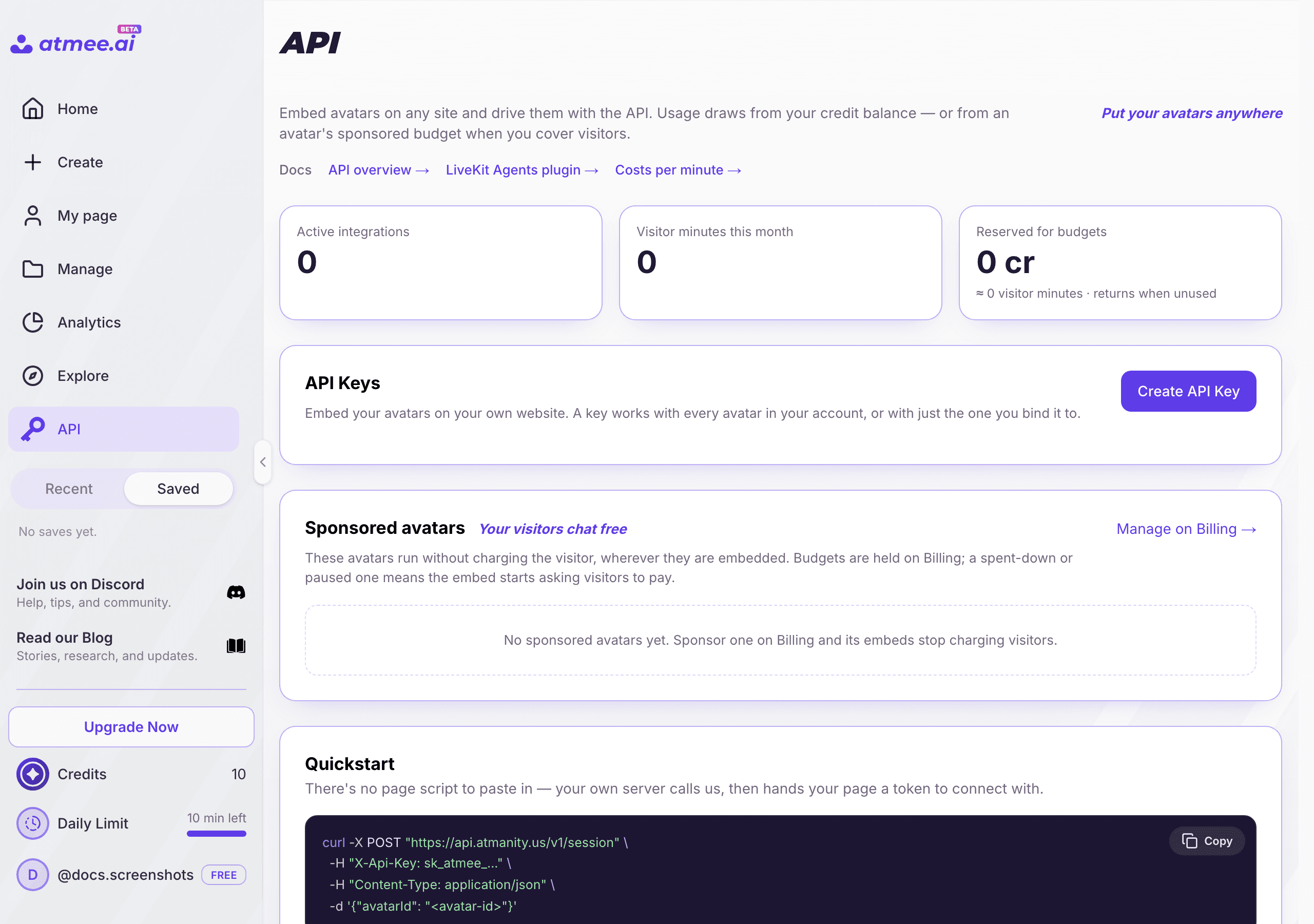
Open Studio → API
Click Create API Key.
Name it
Use a name you'll recognise later, such as the app or site it serves.
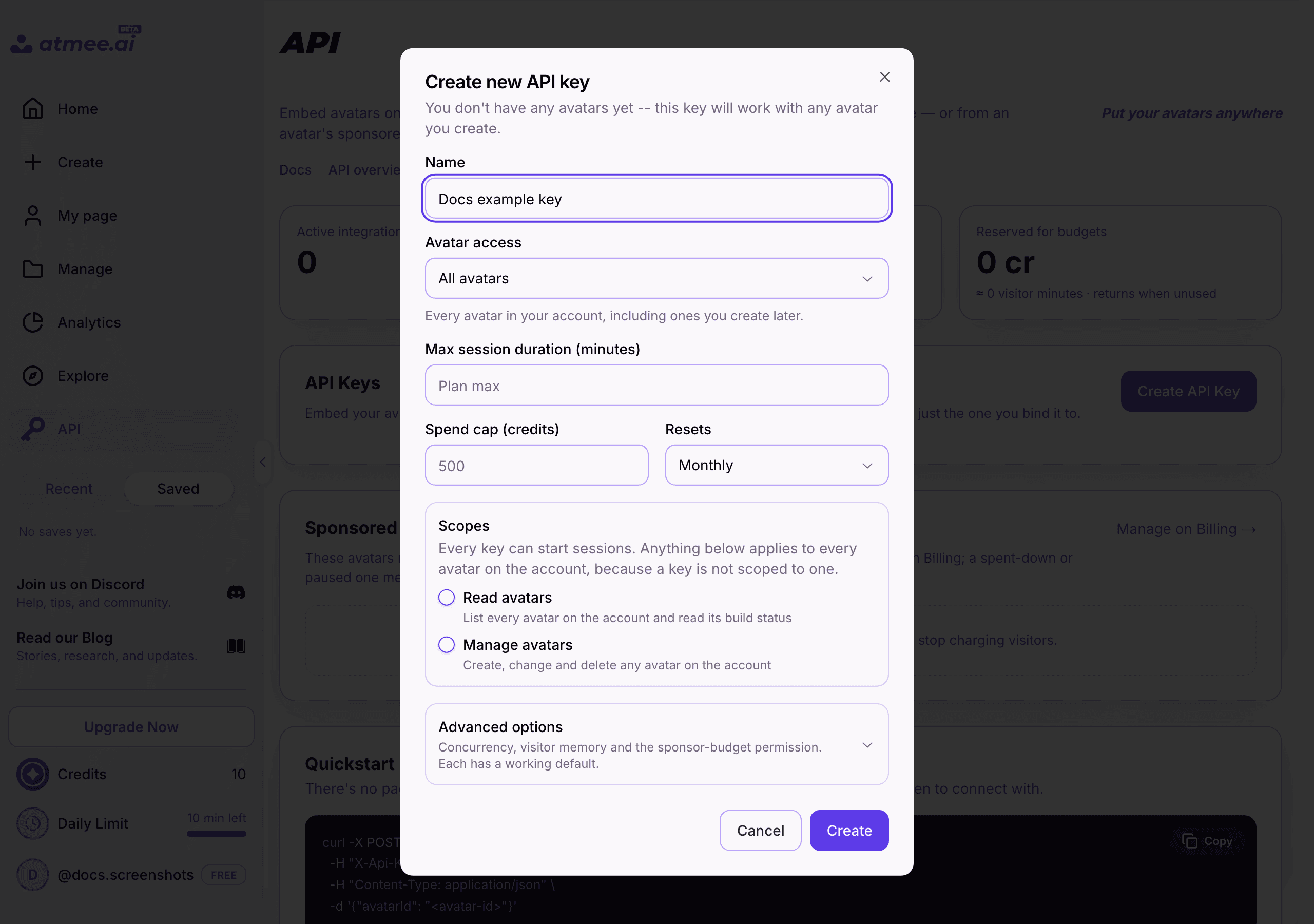
Choose what it may do
Pick its scopes, set its caps, and choose Avatar access: every avatar, or one avatar only.
Copy the secret
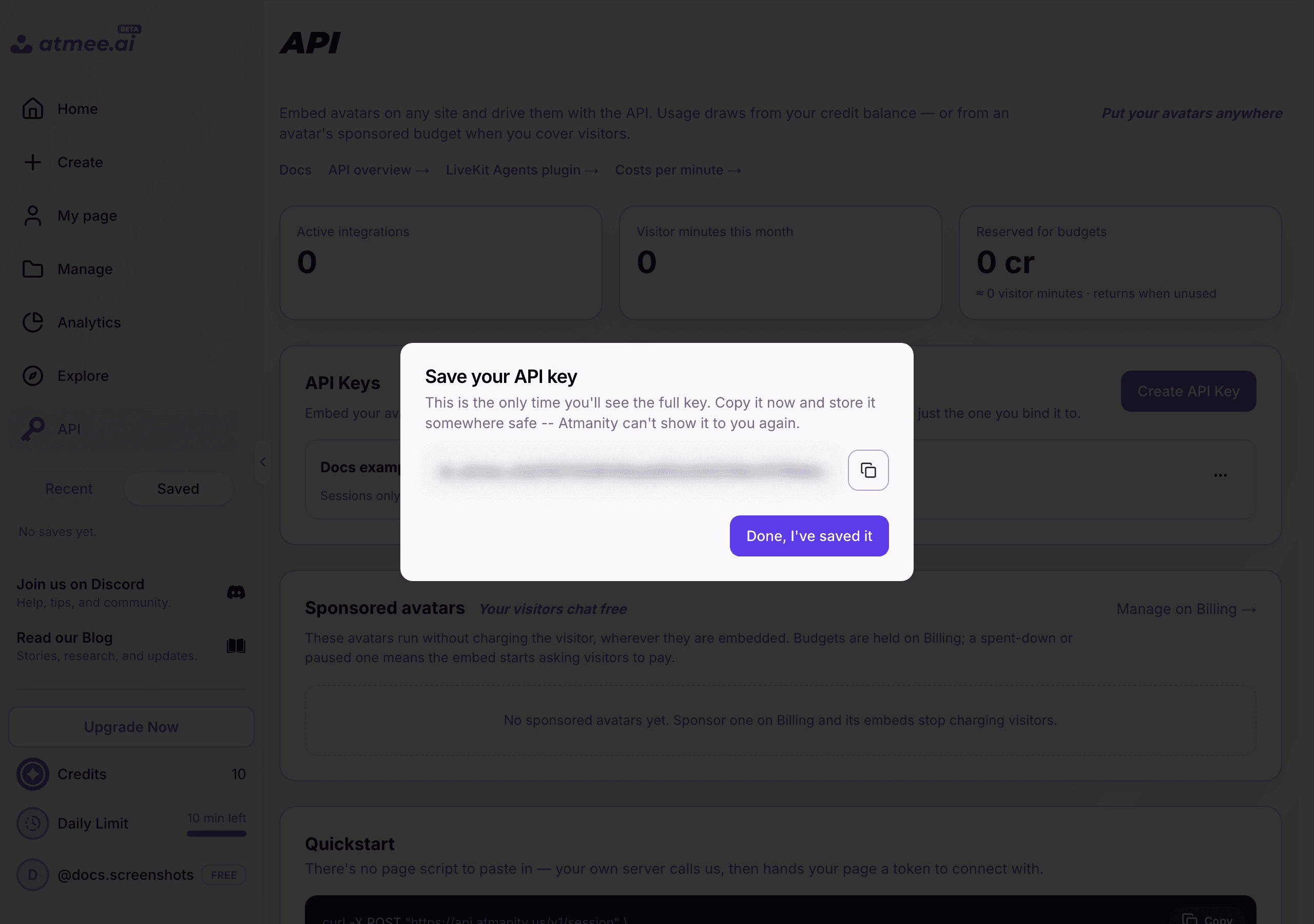
The secret is shown once
Atmee keeps only a hash. If you lose the secret, rotate the key to get a new one.
Afterwards the list shows each key's name, its prefix (sk_atmee_ and 8 more characters), its
last four characters, and when it was last used.
From a terminal
The atmee CLI, signed in as the owner or an admin with atmee login, writes the secret straight
into your env file and never prints it:
atmee keys create --name "marketing site" \
  --avatar 11111111-2222-4333-8444-555555555555 \
  --spend-cap 50 --out .env
Scopes
Every key can start sessions; the other scopes unlock the rest. A call that needs a scope the key
lacks answers 403 insufficient_scope.
| Scope | Allows |
|---|---|
sessions | Start, read and end conversations: /v1/sessions, /v1/avatar_sessions and /v1/speech_sessions. Always included, and all most apps need. |
avatars:read | List your avatars and read their build status, takes, agendas and sponsor pools. |
avatars:write | Create, update and delete avatars; replace their portrait, voice or knowledge; capture and select takes; set an agenda. |
generation:write | Spend credits on generation: portraits, photo enhancement, voices and video clips. Needs avatars:write as well. |
billing:write | Sponsor pools: move credits into an avatar's pool, take them back, and change its settings. See Sponsor pools. |
Recommended setups
| The key is for | Scopes | Bind it to | Caps |
|---|---|---|---|
| A public page or app | sessions | Its avatar | A spend cap and a limit on sessions at once |
| A backend that builds avatars | sessions, avatars:read, avatars:write | Every avatar | A spend cap |
| The same, with generated portraits and voices | add generation:write | Every avatar | A spend cap |
| Funding sponsored avatars | avatars:read, billing:write | Every avatar | A spend cap |
Give each key the smallest set that works.
Caps
Each key can carry its own limits, so a busy or abused page can't run up an unlimited bill. A key can only be stricter than your plan: a value above your plan's is lowered to it.
| Cap | What it limits | Default |
|---|---|---|
| Spend cap | Credits the key may spend in a window: daily, monthly or total (its whole life) | 500 credits a month |
| Longest session | The longest session the key may start, 30 seconds to 4 hours | Your plan's |
| Sessions at once | How many sessions the key may run at the same time, 1 to 100 | Your plan's |
The 500-credit default applies to keys created through the API or the CLI without a spend cap. On
an unlimited plan the spend cap is not applied (spendCap.enforced: false).
When a cap is hit, the start answers 402 with api_key_spend_cap_reached or
concurrent_session_limit. A session asking for more time than the key allows isn't refused:
it's cut, and the answer says so in durationCapped.
Visitor memory
A key can allow visitor memory: the avatar remembers a returning user across sessions. It's
off by default. With it on, your server passes a visitorId of at least 16 characters when it
starts a session. Whoever can name that id reads that user's conversation history, so derive it on
your server (for example an HMAC of your own user id) and never take it from the page.
Account-wide or one avatar
By default a key works with every avatar your account owns, including ones you create later,
and the request names the avatar with avatarId. Set Avatar access to one avatar, when you
create the key or later from Edit key, and the key works with that avatar only. Other avatars
answer 403 avatar_not_allowed.
A key bound to one avatar gives up account-wide access:
| Account-wide key | One-avatar key | |
|---|---|---|
| Start a session with its avatar | Yes | Yes |
| Start a session with any other avatar | Yes | 403 |
| Read and update its own avatar | Yes | Yes |
| Create, list or delete avatars | Yes | 403 |
Widening the key back to every avatar restores all of it.
Rotate and revoke
- Rotate issues a new secret for the same key. The key keeps its id, name, scopes, avatar and
caps, and the old secret stops working. Do this whenever a secret may have leaked. A revoked key
can't be rotated (
409 api_key_revoked). - Revoke turns the key off for good. Sessions it already started keep running to their end;
new calls answer
401. Revoking twice is no error.
Both take effect within about 30 seconds, because the API caches key lookups briefly. In Studio, both are on the key's menu. From a terminal:
atmee keys rotate <key-id> --out .env   # new secret into .env, the old one stops working
atmee keys revoke <key-id> --yes
Sponsor pools
A sponsor pool holds credits set aside for one avatar, so visitors on atmee.ai can talk to it on your credits.
| Call | What it does | Scope |
|---|---|---|
GET /v1/avatars/{id}/sponsor | The pool's balance and settings. | avatars:read |
POST /v1/avatars/{id}/sponsor/grants | Move credits from your account into the pool. Send an Idempotency-Key header so a retry never grants twice. | billing:write |
POST /v1/avatars/{id}/sponsor/withdrawals | Return credits to your account. Without an amount, it returns everything no running session has reserved. | billing:write |
PATCH /v1/avatars/{id}/sponsor | Change the settings: a cap per session, what happens when the pool runs dry, automatic refill, and anonymous visitors with a daily limit each. | billing:write |
Amounts are in microcredits: 100 microcredits are 1 credit. Credits from the Free plan can't fund
a pool (402 free_plan_credits_cannot_sponsor).
Errors
| Answer | Means |
|---|---|
401 | The key is missing, mistyped or revoked. |
403 insufficient_scope | The key lacks the scope this call needs. See Scopes. |
403 avatar_not_allowed | The key is bound to another avatar. |
403 login_required | Keys are managed by a signed-in owner or admin, never by a key. |
403 api_access_not_in_plan | Creating a key on a plan without API access (the Free plan). Sessions on such a plan answer 403 api_access_disabled. |
402 api_key_spend_cap_reached | The key spent its cap for this window. GET /v1/api_keys/current says when it resets. |
402 concurrent_session_limit | The key already runs as many sessions as it may. |
409 api_key_revoked | A revoked key can't be rotated or edited. Create a new one. |
More in Troubleshooting.
Keep the secret safe
- Server only. Store it in your server's environment or secret manager. A key in page JavaScript can be read by every visitor, and anyone who can read the key can spend your credits.
- Never in a repository, page JavaScript, a mobile app or a public config. Add your
.envto.gitignore. - One key per app, bound to that app's avatar where you can, so a leak is contained and you can rotate it without touching anything else.
- Always set a spend cap on a key behind a public page, and put your start route behind your own sign-in and a rate limit. The cap is the backstop.
Usage
In Studio → API, the key list shows each key's minutes this month and when it was last used,
and the cards above it count active integrations and visitor minutes this month. On Manage,
"Not embedded yet" marks an avatar no key has started a session with. For a single session's cost, call GET /v1/sessions/{id}.
Next steps
Choose your integration
Three modes: Atmee runs the whole conversation (Behavior-driven Full-stack), renders a face for your own voice agent (Avatar mode), or talks with no video (Behavior-Driven Voice Mode).
Quickstart
From an API key to a live avatar on your own page: one server file and one HTML file, with no packages to install.